Have you ever fancied having a go at creating your own computer game but don´t have the programming knowledge? If so, take a look at Game Maker.
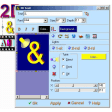
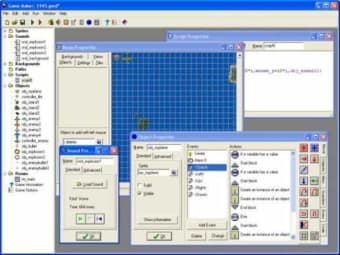
Game Maker requires no prior understanding of programming or game creating experience. It simply requires you to cut and paste elements into a game much as if you were using a word processor.
Game Maker is very much community-driven meaning there is a thriving forum of users and reams of user manuals to help you get to grips with it. YoYo Games offers eight clearly explained lessons to get you started.
This is not to say you'll be able to create great games in minutes. Game Maker still takes some getting used to and learning. Game Maker is also limited by size - once your creations reach a certain size, you can't develop them any further although for beginners, it will be a long time before they get to that stage.
Game Maker is an interesting project that provides a great platform to take your first steps into game creation.
Xavier Slim
Xavier Slim has experience in English writing supported by academic recognition and creative competitions. He has worked on tutoring and editorial projects, developing content that balances clarity with creativity. His interests in writing and technology inform his practical approach to reviewing digital tools.
Have you ever wanted to be able to design computer games, but didn't want to spend countless hours learning how to become a programmer? Then you've come to the right place. Game Maker is a program that allows you to make exciting computer games, without the need to write a single line of code. Making games with Game Maker is a lot of fun. Using easy to learn drag-and-drop actions, you can create professional looking games within very little time.
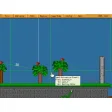
You can make games with backgrounds, animated graphics, music and sound effects, and even 3d games! And when you've become more experienced, there is a built-in programming language, which gives you the full flexibility of creating games with Game Maker.
Awesome!. This is amazing! I got good at this and I could make a game easily
Anonymous user
I like this website. maybe this website is okay.Because, i love make a good games for people,but not pro.It just beginning
Anonymous user
Good!. Man! this is gold! i can't think about the people making this golden stuff!! Pros: Create a game with only clicksYou can blow your mind up with the games you want! Cons: Sometimes you CAN'T make your sprites combineYou need LOTS of tutorials
Anonymous user
Game Maker. I realy enjoyed useing game maker,but it can get a bit confusing.The opertunitys are endless and its good to find something that is good that you can use withought haveing a free trail or you have to buy it. Pros: you can draw your ojects or other things that go in the game your makinga completly costomisible backround and sound afects Cons: Some people my find it confusing
Anonymous user
I Love This!!! I Can't Wait To Open It Up!!!. I love this!!! I can't wait to open it up!!! You might love this too, and love it just as much as I do!
Anonymous user
MAJICAL. Personally its great, and it is easy to use, after some memorizing, fun to share, and fun to play. This program is worth the downloading time Pros: always remember to check tutorials if you get lost(and you will) Cons: without the tutorials, it is impossible to use
Laws concerning the use of this software vary from country to country. We do not encourage or condone the use of this program if it is in violation of these laws. Softonic may receive a referral fee if you click or buy any of the products featured here.










.png)